 Posted by
 In the current release (1.0.x) of Pivotal Container Service (PKS), NSX-T resources are not cleaned up after deleting a Kubernetes cluster. In order to delete the PKS created resources out of NSX-T, you’ll need to run the nsx-cli.sh command like so:
./nsx-cli.sh cleanup <PKS_CLUSTER_UUID> <DRY_RUN>
You can grab the PKS cluster ID by running:
pks clusters

Then you’d run nsx-cli.sh like so
./nsx-cli.sh cleanup c23027a4-1b9d-4baf-99f0-8710b7bec851 false
However, if delete the PKS cluster before you record the PKS UUID, how can you retrieve the PKS UUID? It can be found by looking at one of the PKS created NSX objects and looking at the ncp/cluster tag under the Tags section:
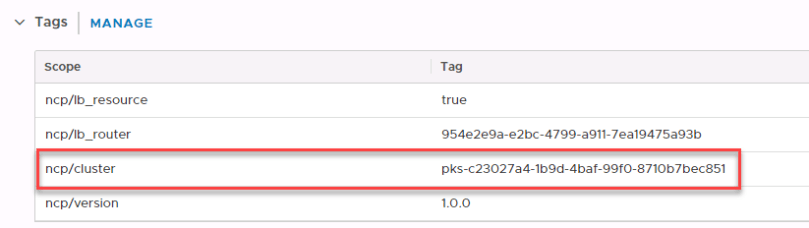
The UUID we need is everything after pks- so it will be c23027a4-1b9d-4baf-99f0-8710b7bec851. We can then clean up NSX by running the following:
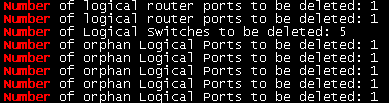
./nsx-cli.sh cleanup c23027a4-1b9d-4baf-99f0-8710b7bec851 false 2>/dev/null| grep Number
 orchestration.io